Favorites
This element is nestable, allowing for any Bricks elements to be added inside.
This element can be used inside query loops.
This element supports being used inside AJAX filtered content, either by Bricks’ native filter elements, WPGridbuilder, JetSmartFilters or PiotnetGrid
This element support being used inside both components & nested components.
- General
- Support FAQ
The ‘favorites’ query loops can be used to output the current users’ chosen items for favorite posts, product wishlists, videos to watch etc. All post types are supported.
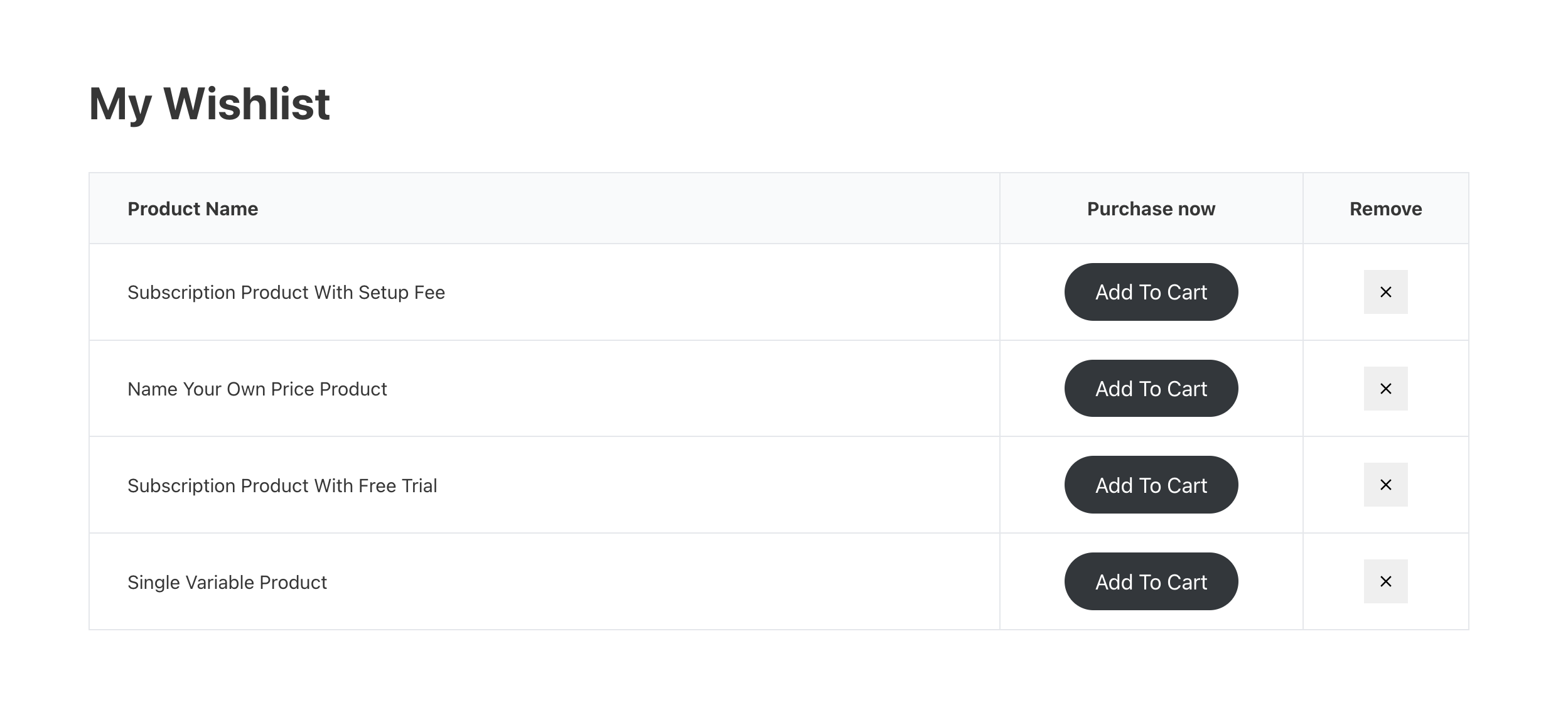
The above image shows the query loop being used in the nestable table element, but any block/div/container element could also be used for any layout.
How to Use
This query loop is part of the ‘Extras’ query loops, so first ensure it’s enabled from the BricksExtras settings page, in the Misc tab.
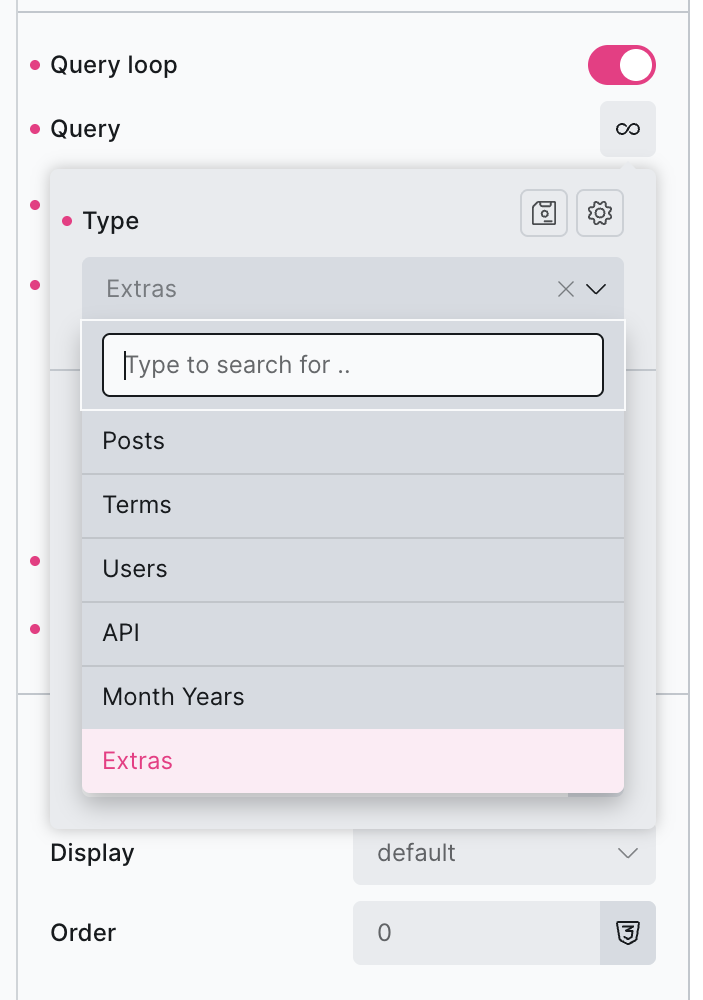
When adding the query loop to an element, first choose ‘Extras’ from the query loop’s Type dropdown.
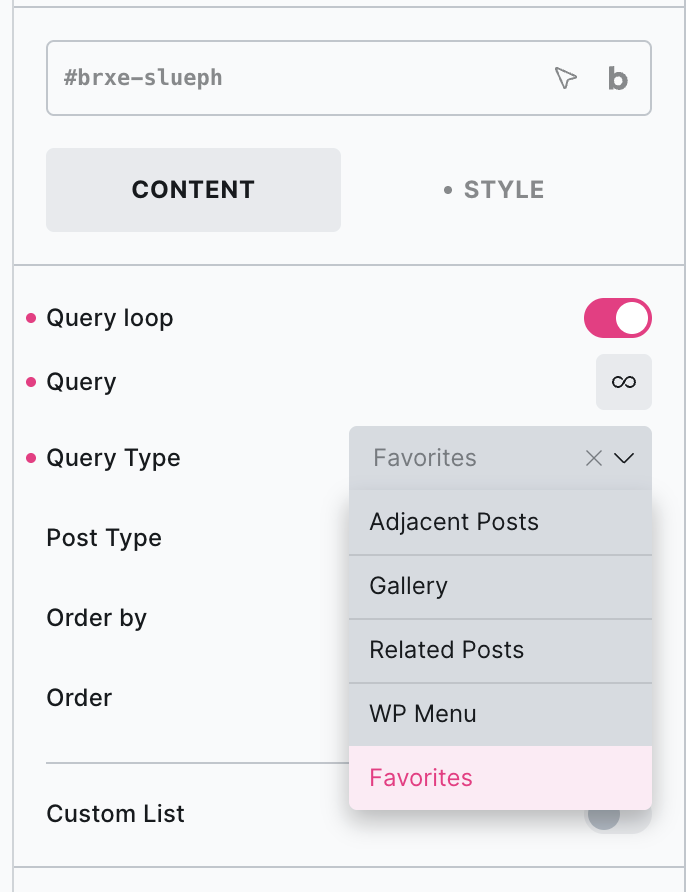
Once the Extras type is selected within the Query Loop options, you’ll see a new Query Type option on the element itself underneath where Favorites is one of the available options.
Note – If you’re allowing logged-out users to create lists – be mindful of caching. Similar to a checkout page, the ‘dashboard page’ containing the unique lists for each user will need to be excluded from page caching.
Update – The Favorites Query Loop now supports being nested inside of Bricks’ AJAX popup, ideal for being able to show users their up-to-date lists in real-time, while staying on the same page. Example – https://support.bricksextras.com/recordings/ima2KV8DOxCMNKWpafJ5
Query type – Select ‘Favorites’ from the Extras query type options.
Post type – Choose the post type for the wishlist items that need to be displayed.
Custom List Identifier – If allowing users to save post ids to multiple lists of the same post type, provide the list name here to output that single list of posts.
Allowing users to remove items.
The Favorites button element can be used inside of the loop, to allow users to remove specific items. Or placed outside the loop to clear the entire list.